

examples/web-app. It shows how to build your own web app on top of mcp-server-db2i, so people can ask questions about IBM i data in the browser without a Claude, ChatGPT or other AI subscription per user, and without installing an MCP client.
- Users sign in with their own IBM i user profile, through the server’s OAuth sign-in page. Every query runs with that user’s authority.
- The model is your choice: a pay-as-you-go API key from Anthropic, OpenAI or Google Gemini, or a local model through an OpenAI-compatible endpoint such as Ollama or LM Studio. One company key on the app’s server can serve everyone, or each user enters their own. With a local model, questions and results never leave your network.
@ai-sdk/mcp, AI Elements and shadcn/ui. It is not published to npm.
What it does
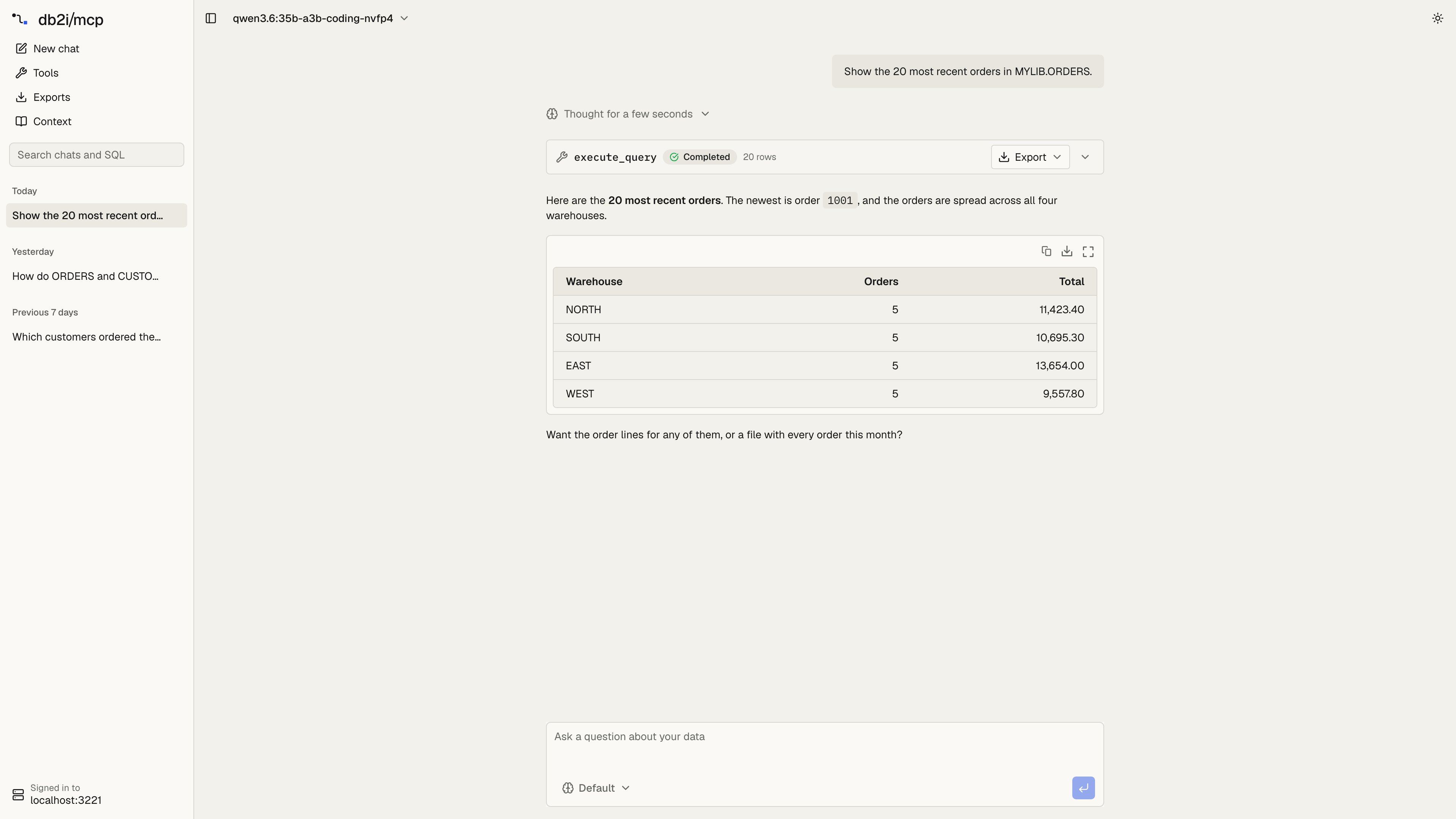
The sidebar lists your chats, newest first and grouped by day, like ChatGPT or Claude. Search finds a chat by its text or by the SQL it ran. Chats are saved in the browser, so each one has its own link (/c/<id>) and is still there after a reload.
The app follows the system’s light or dark mode. The theme button at the top right overrides it.
The effort menu in the chat box sets how long a reasoning model thinks before it answers: Default, Off, Low, Medium, High, Extra high or Max. The app passes it to AI SDK’s
reasoning option, which each provider maps to its own setting (Anthropic thinking and effort, OpenAI reasoning effort, Gemini thinking level). Models without reasoning ignore it.
Result tables can be sorted by any column, filtered, resized and scrolled through thousands of rows. Copy for Excel copies the rows as tab-separated text. Decimals keep every digit the server returned.
Tool calls in the chat stay collapsed. A call that returned rows has an Export menu in its header, so you can export without opening it. For an execute_query result it offers Excel and CSV of every row from the server, through export_query. That gets past the row limit, and the file appears on the Exports page. When the server can’t export, because EXPORT_ENABLED is off or the result came from a business SQL tool (the app knows its arguments but not the SQL behind it), the menu instead saves the rows the chat holds as CSV in the browser.
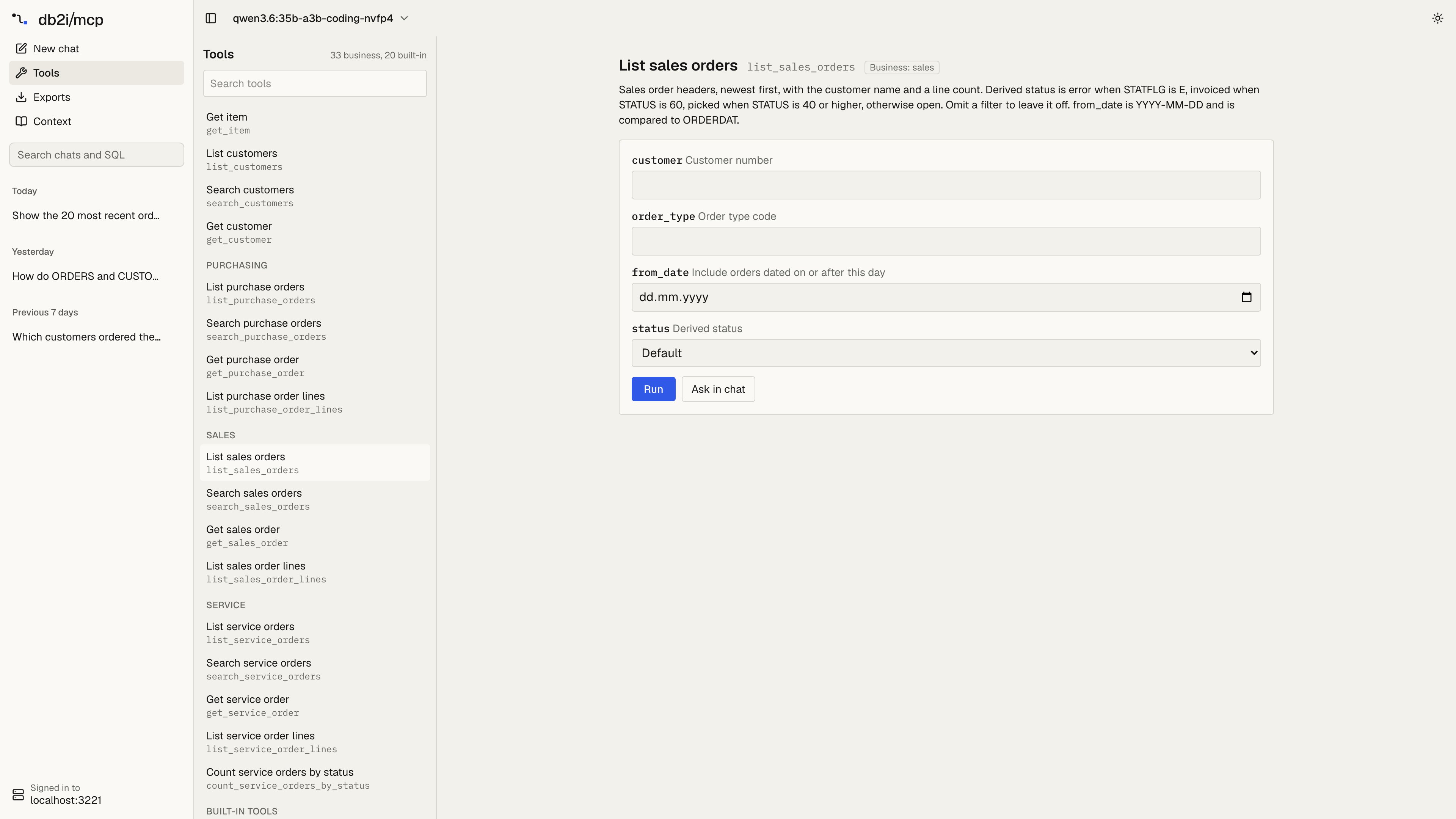
MCP_TOOLS_ENABLED, MCP_CUSTOM_TOOLS and the profile the user signed in to. A form run is a normal tool call: it goes through the same validator, schema allowlist, rate limit and audit log as a call from the model. Ask in chat puts a request for the tool, with the arguments you filled in, into the chat box instead.
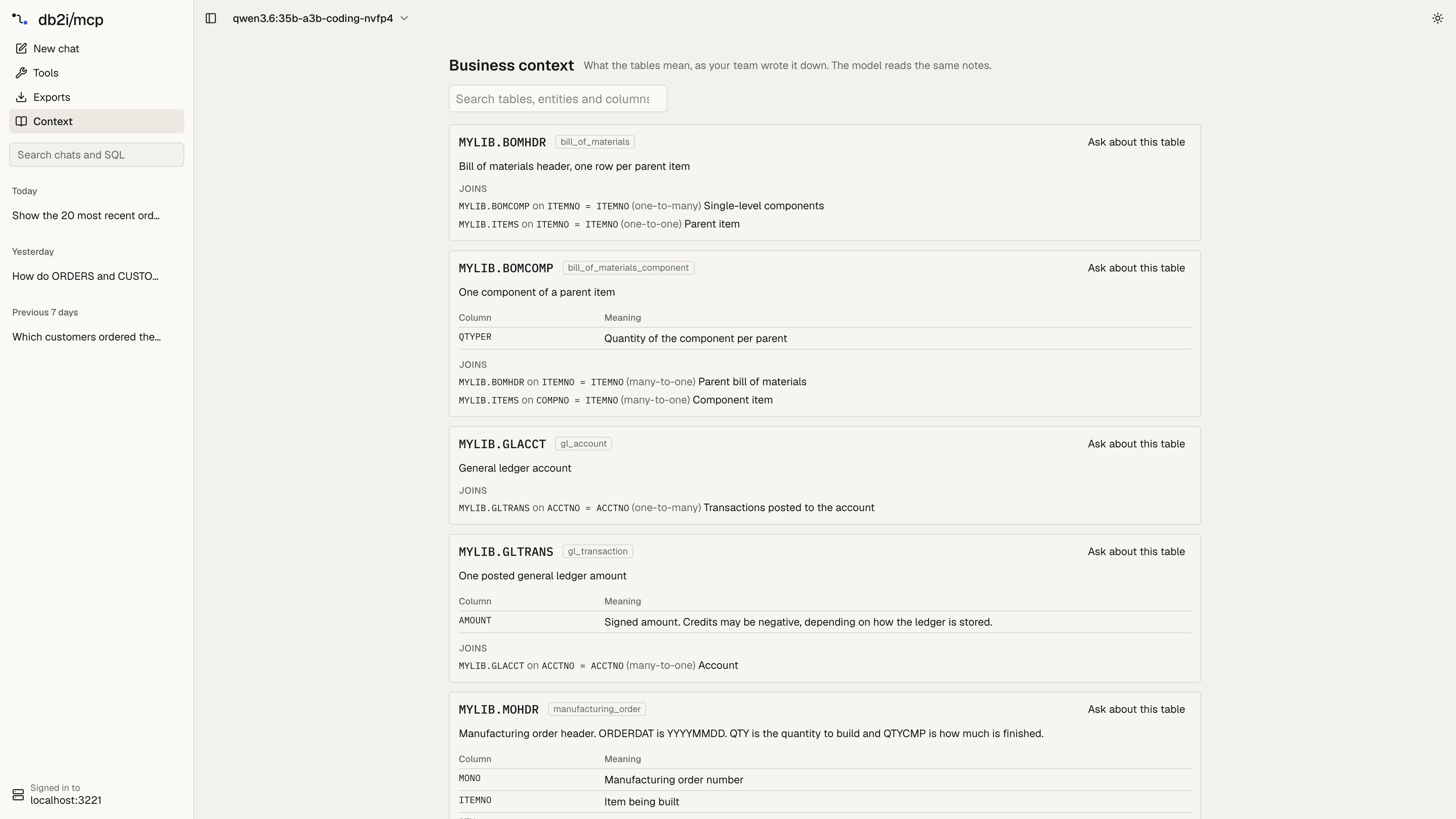
db2i://business-context resource, so it shows exactly what the model gets from get_business_context. It stays empty until the server loads table annotations from MCP_CUSTOM_TOOLS. Ask about this table puts a question about the table in the chat box.
Run it
You need Node 22 or newer and mcp-server-db2i running over HTTP with OAuth:http://localhost:3001, choose Sign in to IBM i, then Choose a model to pick a provider, paste a key and choose a model.
One key for the whole company
Instead of each user pasting a key, set one on the app’s server. Everyone who signs in uses it, and the provider bills the one account per use:MCP_OAUTH_REDIRECT_URIS. For a deployed app, add its callback to the list, and keep the clients you still use, because setting it replaces the defaults:
Switching systems
WithDB2I_PROFILES set, the sign-in page asks which system to use. The session is bound to that system: tools have no system argument, and the Tools and Context pages show what that profile allows. To use another system, sign out and sign in again.
Where data goes
- The IBM i password goes only to the server’s sign-in page. The app never sees it.
- OAuth tokens stay on the app’s server, in an encrypted, httpOnly session cookie. The browser cannot read them.
- A user’s model API key stays in the browser’s
localStorage. Each chat request sends it to the app, which passes it to the provider and does not store or log it. - A company key set on the app’s server (
ANTHROPIC_API_KEY,OPENAI_API_KEYorGOOGLE_GENERATIVE_AI_API_KEY) never reaches the browser. - Chats and the list of exports stay in the browser, in IndexedDB. A saved chat keeps its messages and tool results, so result rows stay on that computer until the chat is deleted.
- Query results go to the model provider the user picked, as with any assistant. See Where data goes. With a local model on Ollama, results stay on your network.